Simple Unicorn Pattern: Choosing the Right Design and Avoiding Download Pitfalls
A well-designed Simple Unicorn Pattern can elevate everything from a children's bedroom mural to a branding kit for a whimsical small business. The appeal is obvious: unicorns are universally beloved, and a clean, uncluttered pattern offers versatility without overwhelming a project. Yet many people, from hobbyists to experienced designers, end up frustrated with a pattern that looks nothing like the preview, doesn't scale correctly, or comes in a file format that's useless for their specific workflow. The difference between a project that delights and one that disappoints often comes down to the decisions made long before the download button is clicked.
Understanding what a Simple Unicorn Pattern actually includes, and what it does not, can save you time, money, and a great deal of creative frustration. Whether you are a parent crafting a nursery theme, a blogger designing custom stationery, or a small business owner creating merchandise, learning to evaluate these patterns critically will yield far better results. The goal is not simply to find any unicorn pattern, but to find one that works flawlessly for your particular medium and audience.
Mistakes in File Format Selection: EPS versus PNG
A recurring oversight among buyers is treating EPS file and PNG file options as interchangeable. They are not. An EPS file is a vector format built on mathematical paths. It remains crisp at any size, making it ideal for large-format printing such as banners, wallpaper, or fabric. A PNG file is a raster format composed of pixels. It is excellent for digital use, screen display, and smaller print jobs, but it will pixelate if stretched too far.
The mistake happens when someone downloads only a PNG pattern, then attempts to enlarge it for a large wall decal or a poster. The result is a blurry, jagged unicorn that immediately looks amateurish. Conversely, someone might download an EPS file and try to use it directly in a non-vector program, like a basic photo editor, and become confused when the file does not open at all.
How to Choose the Right Format for Your Project
Before you download a Simple Unicorn Pattern, ask yourself a clear question: where will this pattern be used most? For digital use, website backgrounds, social media posts, and small printed items like stickers or cards, a high-resolution PNG is perfectly sufficient. Look for PNG files with a resolution of at least 300 DPI for print and a transparent background to maintain flexibility.
For any project that requires resizing, especially scaling up, choose the EPS file. Vector patterns allow you to change colors, adjust individual elements, and extend the design to billboard size without any loss in quality. A common practical warning: never agree to a project that requires large output if you only possess a raster pattern. The avoidable cost and delay of recreating it later are far greater than simply choosing the right format at the start.
Overlooking Pattern Repeat and Seamlessness
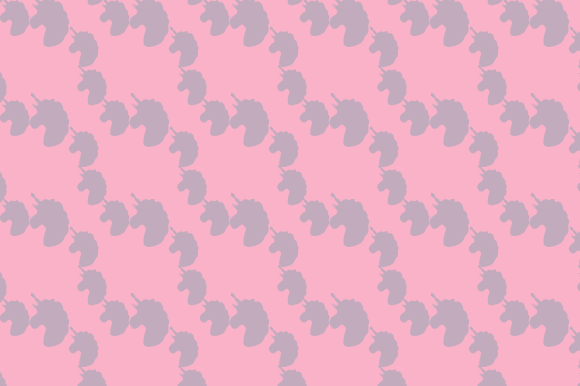
A Simple Unicorn Pattern might look charming in a square preview box, but the real test comes when it is applied across a continuous surface. Many patterns are not seamless. When tiled across a wall, fabric, or wrapping paper, visible seams or awkward gaps appear at the edges where the unicorns meet. This breaks the illusion of a continuous, flowing design and immediately signals a lower quality product.
I have seen well-intentioned hobbyists spend hours adjusting a pattern in Photoshop, trying to disguise hard edges, only to abandon the project entirely. The frustration is unnecessary if you check for seamlessness at the point of purchase. Reputable creators will explicitly state that their pattern is seamless. Look for wording such as "seamless repeat" or "tileable" in the description.
What to Check Before You Buy
If the listing does not confirm a seamless repeat, test it yourself using available preview images. Tile the image mentally or use a simple tool to repeat it before purchasing. A quality Simple Unicorn Pattern will handle this test gracefully. The pattern should flow naturally, with unicorns, stars, rainbows, or other elements distributed evenly so that no single area feels empty or overloaded. An uneven distribution creates visual noise and makes the pattern feel chaotic, which works against the "simple" promise entirely.
Neglecting Color Palette Compatibility
Another common disappointment arises when the colors in the downloaded pattern clash with the intended environment. A pastel unicorn pattern with soft pinks and mint greens may look beautiful in a listing, but placed against a warm beige wall or beside a bright orange sofa, it can become jarring. The mistake is assuming that the pattern will adapt to any color scheme without consequence.
Download details often list the colors used, but buyers skip this information. Before committing to a Simple Unicorn Pattern, pull the hex codes or CMYK values provided, and test them against your existing palette. If the pattern is an EPS file, you have the advantage of being able to recolor elements in vector editing software. If you are limited to a PNG, the colors are locked. Choose a pattern with a neutral or very versatile palette if you intend to use it across multiple projects. A pattern with a white or very light background often offers the most flexibility.
Ignoring Licensing and Usage Rights
This is perhaps the most overlooked detail, especially by small business owners and entrepreneurs. A Simple Unicorn Pattern may be beautiful and perfectly formatted, but if you plan to sell products featuring that pattern, you must verify the license. Some patterns are sold for personal use only, meaning you cannot use them on merchandise for sale. Others come with a commercial license but have limits on the number of units produced.
Using a pattern without the correct license can lead to legal notices, removal of products, and loss of income. It is not an uncommon story: a seller on Etsy creates a line of unicorn-themed tote bags using a pattern they bought, only to receive a cease-and-desist letter from the original artist. This is entirely avoidable.
Practical Advice for Commercial Users
Always read the license details located in the download description or terms of sale. If the license is unclear, contact the seller before purchasing. Many professional pattern creators offer tiered licensing: personal, small commercial, and extended commercial. Pay for the license that matches your intended use. Keeping a record of your purchase confirmation and license terms is a prudent habit that protects your business later. For entrepreneurs, this small step is as important as the design itself.
Overcomplicating the Application Process
Some first-time users of a Simple Unicorn Pattern overthink the application. They try to manually position every unicorn element, adjust transparency, or add effects that ultimately muddy the design. A good pattern is designed to work as a repeat. It does not need heavy customization to look professional. The mistake is trying to force complexity where simplicity is the strength.
For example, a blogger designing a header for a unicorn-themed party blog might layer the pattern behind text, then add drop shadows and gradients. The result often looks cluttered and distracts from the clean aesthetic that made the pattern appealing in the first place. A better approach is to use the pattern as a subtle background, reduce its opacity slightly, and let the simplicity speak for itself. The pattern is a tool, not the entire composition.
Trust the Design's Strengths
When you choose a Simple Unicorn Pattern, you are selecting a design that has already been refined for consistency and appeal. Use it in the way it was intended. Apply it as a fill, a background, or a repeated motif. If you need a complex, heavily customized illustration, you might be better served by hiring an illustrator rather than altering a pre-made pattern. This saves time and preserves the quality of the original work.
Underestimating the Value of a Proper Preview
Finally, a practical warning about preview images. Some listings show an isolated unicorn icon rather than a true repeating pattern. Buyers assume the pattern will look a certain way when tiled, but the preview does not demonstrate the repeat. Always look for a preview that shows the pattern extended across a larger area, ideally wrapped around a mockup object like a phone case, fabric, or notebook. This provides a realistic sense of how the Simple Unicorn Pattern will appear in actual use.
A listing that lacks this kind of preview should be treated with caution. It does not mean the pattern is poor quality, but it does mean you have less information to make an informed decision. When in doubt, look for sellers who provide multiple mockups and clear download details. Transparency in the listing is often a good indicator of quality in the file itself.
Selecting the right Simple Unicorn Pattern is not complicated, but it does require attention to format, seamlessness, color, licensing, and preview accuracy. By focusing on these practical details, you avoid the common setbacks that turn a promising project into a frustrating revision. The right pattern, chosen with care, will serve your creative vision reliably and beautifully from the moment you unzip the file.